Millions of people in Bangalore’s tech and professional sectors spend the majority of their waking hours at a desk. A significant proportion of them are doing so in a workstation setup that is, in physiotherapy terms, a slow-motion injury mechanism.
Most desk pain comes down to three things: a screen positioned too low (dragging your head and neck forward all day), a chair that doesn’t support your lower back’s natural curve, and a keyboard/mouse set up far enough away that you’re reaching for hours. Fix the monitor height first — it has the single biggest impact and costs almost nothing. Good ergonomics prevents new problems; it doesn’t reverse damage already done, which is where physiotherapy comes in.
The neck pain that appears by Wednesday. The lower back ache that settles in after lunch. The shoulder that begins to hurt whenever you reach for the mouse. These aren’t random events. They’re predictable outcomes of specific postural and ergonomic problems that, in most cases, can be identified and corrected.
Good ergonomics won’t replace a physiotherapy programme for someone already in pain, but it’s one of the most cost-effective investments a desk worker can make in their long-term musculoskeletal health. And for someone currently in physiotherapy for a desk-related condition, poor workstation setup will directly undermine the progress made in the clinic.
This guide covers the core ergonomic principles that physiotherapists apply when assessing desk workers, so you can evaluate your own setup and make the changes that will have the largest impact on your daily comfort.
The Monitor: Position, Height, and Distance
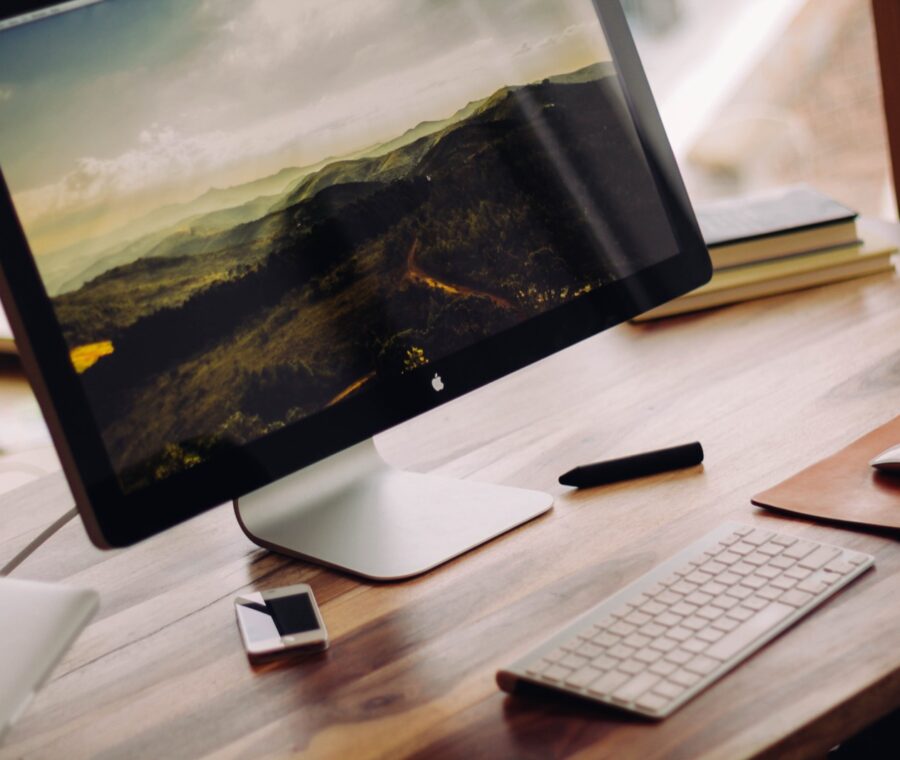
The monitor is the single most important element of desk ergonomics, because it determines where your eyes go, and where your eyes go, your head and neck follow.

Height is the most commonly wrong variable. The top of the screen should be at or slightly below eye level when you’re sitting upright. Most people have their screens too low, which means they spend the day in slight neck flexion, chin dropped toward the chest. Over eight hours, this position significantly increases the load on the posterior cervical spine and upper trapezius, and it’s one of the primary drivers of the forward head posture physiotherapists see in desk workers.
Laptop users are almost universally working with their screens too low. Laptops, by design, can’t be positioned ergonomically for the neck without compromising the keyboard and mouse position. The solution is an external monitor, or at minimum a laptop stand that raises the screen to eye level combined with a separate keyboard and mouse.
Screen distance should be approximately an arm’s length from your eyes. Too close increases the strain of focusing; too far causes you to lean forward. Glare on the screen is another frequently overlooked factor — squinting at a glare causes subtle but sustained muscle tension in the forehead and upper face that contributes to headaches and jaw pain over time. Position the monitor perpendicular to any windows and use an anti-glare screen protector where necessary.
The Chair: Support Where It Counts
A good chair doesn’t prevent you from sitting. It makes sitting correctly easier.
The lumbar support should position your lower back in a gentle lordosis, not a flat or rounded position. Most office chairs have adjustable lumbar support — set it so that it supports the inward curve of the low back, which keeps the pelvis in a neutral tilt and reduces the compression on the lumbar discs.
Seat height should allow your hips to be at or slightly above knee height. Hips below knees encourage a posterior pelvic tilt, which flattens the lumbar spine and increases disc load.
Armrests should be set so that your elbows can rest at approximately ninety degrees without your shoulders shrugging upward. Armrests that are too high cause the upper trapezius and levator scapulae to sustain constant low-grade contraction throughout the day, which is a reliable generator of neck and shoulder pain.
The seat pan depth should be set so there’s a two to three finger gap between the front edge of the seat and the back of your knee. A seat that’s too deep cuts off circulation at the back of the thigh and causes the sitter to perch forward on the seat without using the backrest.
The Keyboard and Mouse: Where People Consistently Get It Wrong
The keyboard and mouse should be positioned so that your elbows are at approximately ninety degrees and your wrists are neutral, neither extended upward nor flexed downward. This is straightforward in principle but frequently violated in practice.
The most common keyboard mistake is placing it too far from the body, which causes sustained reach at the shoulders and elbows throughout the day. The keyboard should be close enough that your upper arms rest near your sides rather than reaching forward.
Mouse use deserves particular attention because it’s typically done with the dominant hand in a slightly elevated and reached position for hours at a time. This sustained posture is one of the primary contributors to right-sided neck and shoulder pain in desk workers. A vertical mouse, which keeps the forearm in a more neutral rotation, is worth considering for heavy mouse users. Placing the mouse as close to the keyboard as possible reduces the required reach.
Using a keyboard without a wrist rest is fine for someone who types correctly with the wrists elevated off the desk surface. However, many people rest their wrists on the desk during typing, which places the tendons and carpal tunnel under sustained compression. A padded wrist rest used during pauses in typing, not during active typing, can reduce this compression.
The Sitting Position: What You Are Actually Aiming For
The target sitting position, supported by good furniture, looks like this. The spine is upright with its natural curves maintained. The lumbar lordosis is supported by the chair. The thoracic spine is relatively upright rather than rounded forward. The head is balanced over the shoulders. The shoulders are relaxed, not hunched. The elbows are at approximately ninety degrees. The wrists are neutral. The hips are at or slightly above knee level. The feet are flat on the floor or a footrest.
This position can’t be sustained perfectly for hours on end, and trying to do so creates its own problems through postural muscle fatigue. The most important variable isn’t perfection in any position but variability across positions throughout the day.
A sit-stand desk is one of the most effective tools for building positional variability into a desk working day. Standing for a portion of the day reduces the sustained disc compression and hip flexor loading that prolonged sitting produces. The evidence for sit-stand desks in reducing back pain is moderate but positive. The key is varying between positions rather than standing all day, which creates its own postural and load challenges.
Take a movement break every forty-five minutes. Stand up, walk to another room, do five to ten hip circles or shoulder rolls. The exact movement matters much less than the interruption to sustained posture.
When Ergonomics Is Not Enough
For many desk workers, good ergonomics significantly reduces pain and prevents new problems. For others, the pain has been present long enough or is severe enough that ergonomic changes alone are insufficient.
Physiotherapy for desk workers in Bangalore addresses the physical consequences of prolonged desk work that no chair adjustment can reverse. The shortened hip flexors need to be lengthened through specific stretching and strengthening work. The weakened deep cervical flexors need to be retrained. The thoracic spine needs to have its mobility restored. The scapular stabilisers need to be strengthened.
Ergonomics prevents further accumulation of load. Physiotherapy reverses the load that’s already accumulated.